Quick answer
A good event seating chart does three jobs: it shows buyers exactly what they are paying for before checkout, it makes the seat easy to find on event day, and it gives your team a single source of truth when something needs to change. Most seating-related refund requests are not really about the seat — they are about a mismatch between what the buyer expected and what they got. Fix the chart, the labels, and the ticket, and most of those complaints disappear.
- Match the seating model (general admission, zoned, or reserved) to the event — a full reserved chart is often overkill and creates more support work, not less.
- Label sections, rows, and seats the same way everywhere: on the chart, on the ticket, on the confirmation email, and on the physical signage.
- Decide your seat-change policy before tickets go on sale, and put it where buyers can see it.
In this guide
- Why seating charts cause refunds in the first place
- Choose the right seating model for the event
- Design principles for a chart people actually understand
- Price sections around what buyers can see
- Put the seat on the ticket — clearly
- Handle seat changes, upgrades, and transfers
- Prepare the door team for seated events
- How Tickera helps with seating charts
- Seating chart checklist
- FAQ
Why seating charts cause refunds in the first place
Talk to any organizer who runs seated events and you will hear the same handful of stories. A buyer picked seat 14 in row C, arrived at the venue, and found that row C was behind a pillar. A couple bought two seats that looked adjacent on the chart but were split by an aisle. Someone paid a premium for “front section” seats that turned out to be at the far side of the stage. None of these people got a defective product — they got a product that did not match the picture in their head.
That gap between expectation and reality is where refund requests come from. And seated events raise the stakes: when a buyer picks a specific seat, they form a much more specific expectation than a general admission buyer ever does. The more precise the promise, the more precisely you have to keep it.
The good news is that this is a fixable problem. Unlike weather, artist cancellations, or traffic, the clarity of your seating chart is entirely under your control. The rest of this guide walks through the decisions that determine whether your chart prevents confusion or manufactures it.
Choose the right seating model for the event
Before you draw a single seat, decide how much precision the event actually needs. There are three broad models, and picking the wrong one creates work and confusion on both sides of the transaction.
| Model | Buyer picks | Best for | Main risk |
|---|---|---|---|
| General admission | Nothing — entry only | Standing shows, festivals, networking events | Early queues, seat-saving disputes |
| Zoned / sectioned | A section or price zone | Theatres, conferences, mid-size venues | Vague zone boundaries |
| Reserved seating | An exact seat | Galas, premium concerts, dinners | Every seat detail becomes a promise |
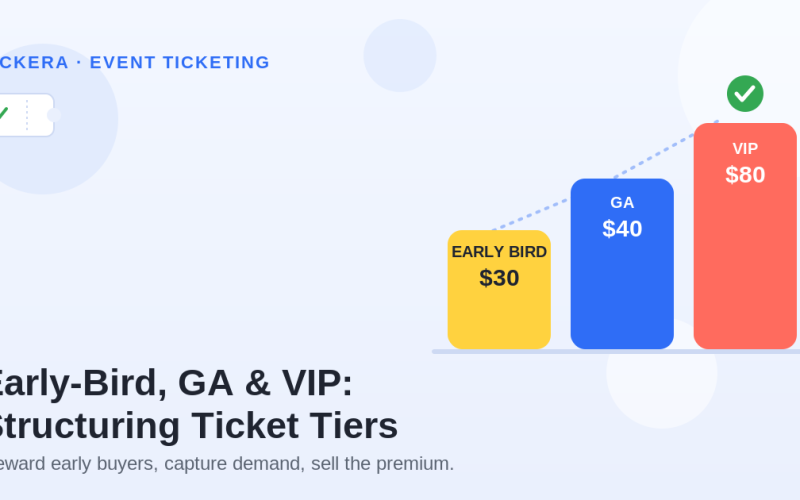
Zoned seating is the most underused option. It gives buyers a meaningful choice — closer or cheaper — without committing you to defending the sightline of every individual chair. If your venue has a few hundred functionally similar seats per section, selling zones and letting people sit anywhere within their zone cuts your support load dramatically while keeping the pricing flexibility of a tiered structure. For more on structuring those price levels, see our guide to early-bird, GA, and VIP ticket tiers.
Full reserved seating is worth the extra effort when the seat itself is part of the product: a gala dinner where table placement matters, a concert where the front row carries a serious premium, or any event where groups need guaranteed adjacency. If none of those apply, ask yourself honestly whether you are building a reserved chart because the event needs it or because it feels more professional.
Design principles for a chart people actually understand
Once you know the model, the chart itself needs to communicate three things at a glance: where the stage (or screen, or pitch) is, where each section sits relative to it, and what each section costs. Everything else is decoration.
Keep these principles in mind:
Orient the buyer immediately. The stage should be visually obvious and labeled. A surprising number of charts show a grid of seats with no reference point, leaving buyers to guess which direction they will be facing.
Use color for price, not decoration. Each price level gets one color, used consistently on the chart and in the legend. If two sections cost the same, they should look the same.
Name sections the way the venue does. If the physical signs say “Balcony Left,” the chart must say “Balcony Left” — not “Section B2.” Any translation step between the chart and the building is a place where confusion breeds.
Mark the compromised seats. Restricted views, distant corners, seats behind the mixing desk — label them, and price them accordingly. A buyer who knowingly saves money on a restricted-view seat is a satisfied customer; a buyer who discovers the restriction at showtime is a refund request.
Design for phones. Most tickets are bought on mobile, so a chart that is only legible on a 27-inch monitor fails most of your buyers. Test the chart on a small screen with real thumbs before launch — the same mobile-first discipline that applies to responsive page design generally applies to your seat map.
A seating chart is a promise rendered as a picture. Every seat you display, you are committing to deliver — so display only what you can defend.
Price sections around what buyers can see
Section boundaries and price boundaries should follow the sightlines, not the architecture. It is tempting to price by floor — ground level costs more than balcony — but buyers experience the event from a seat, not a floor plan. A front balcony seat often beats a rear ground-floor seat, and your pricing should reflect that or buyers will notice the mismatch for you.
A practical approach: physically sit in a handful of seats across the venue (or study photos taken from them) and rank the views. Draw price zones around clusters of comparable experience. Where a zone contains a few clearly worse seats, either carve them into a cheaper sub-zone or leave them out of sale entirely. The revenue you give up on a dozen awkward seats is usually less than the cost of handling the complaints they generate.
Price gaps between adjacent zones deserve attention too. If zone A costs double zone B but the last row of A touches the first row of B, buyers in that back row of A will feel cheated. Keep steps between neighboring zones modest, and reserve big jumps for genuinely different experiences. Our event ticket pricing strategy guide covers the psychology of those thresholds in more depth.
Put the seat on the ticket — clearly
The chart gets the buyer to checkout; the ticket gets them to the seat. Between purchase and event day, most attendees will look at exactly one artifact — their ticket — so the seat information on it has to stand alone.
| On the ticket | Why it matters |
|---|---|
| Section, row, seat — in that order | Matches how people navigate: big to small |
| Entrance or gate for that section | Prevents the wrong-door queue shuffle |
| Doors-open time, not just start time | Seated events benefit from staggered arrivals |
| A one-line seat-change policy | Sets expectations before anyone asks |
Repeat the same details in the confirmation email and on the event landing page. If the buyer sees “Balcony Left, Row C, Seat 14” three times in identical wording before the event, they will find their seat without asking anyone. A well-structured event landing page with a copy of the seating chart also gives attendees somewhere to re-check their bearings the night before — which quietly reduces day-of anxiety and, with it, no-shows.
Handle seat changes, upgrades, and transfers
However good the chart is, some buyers will want to move: a friend bought a ticket later and wants to sit together, someone’s plans changed, a wheelchair user needs an accessible position. Decide how you handle each case before sales open, because improvising these policies mid-sale is how double-bookings happen.
Three policies cover nearly everything. First, upgrades: allow moves to a more expensive zone for the price difference, processed by your team so the old seat is released back into inventory the moment the new one is confirmed. Second, transfers: let a ticket change hands to a new attendee without changing the seat — this satisfies most “I can’t make it” cases without touching the chart at all. Third, swaps within a zone: for zoned events these are free by definition; for reserved events, batch them and process them at fixed times rather than continuously, so your inventory never has two pending changes fighting over the same seat.
Whatever you decide, publish it. A two-sentence policy on the landing page and ticket — “Seat changes are possible until 48 hours before the event, subject to availability. Contact us at…” — converts a stream of negotiations into a simple yes/no process.
Prepare the door team for seated events
Seated events change the door team’s job. At a general admission show, staff validate tickets and count heads. At a seated show, they also become navigators — and if the chart or signage is weak, every confused attendee becomes a conversation that stalls the line.
Give the door team three things. A printed (or tablet-accessible) master chart marked with entrances, so anyone can answer “where is Row C?” in seconds. A short brief on the known problem spots — the sections people commonly confuse, the seats with restricted views, the row where numbering restarts. And a clear escalation path for seating disputes: who has the authority to move someone, and to where, when two people hold tickets that both say seat 14.
Scanning discipline matters more at seated events too, because a duplicate ticket at GA is an inconvenience while a duplicate at reserved seating is a confrontation in a narrow row. Digital ticket validation with QR codes catches duplicates at the door, before anyone reaches the seat. Our event check-in strategy guide covers how to structure the scanning flow so the line keeps moving.
How Tickera helps with seating charts
Tickera is a WordPress ticketing system with a built-in Seating Charts add-on, so you can sell reserved and zoned seating directly from your own website — no per-ticket marketplace fees, no third-party seat-map service. You draw the venue layout visually, assign ticket types and prices to sections or individual seats, and buyers pick their exact seat on an interactive chart at checkout.
Because the chart is tied to the same inventory as your tickets, a sold seat is instantly unavailable to everyone else — no oversells, no spreadsheet reconciliation. Each ticket carries the section, row, and seat, plus a unique QR code that the Checkinera app validates at the door, flagging duplicates on the spot. If plans change, ticket details can be edited from the WordPress dashboard, and the chart can even be adjusted mid-sale when the venue configuration shifts. Seating charts are included in Tickera’s plans alongside the check-in apps and WooCommerce integration — see current pricing for details.
Seating chart checklist
- Seating model chosen deliberately: GA, zoned, or reserved — not reserved by default
- Stage/reference point clearly marked and the chart oriented around it
- Section names identical on chart, tickets, emails, and physical venue signage
- One color per price level, with a legend
- Restricted-view and compromised seats labeled and priced down (or withheld)
- Chart tested on a phone screen before launch
- Price zones follow sightlines, with modest steps between neighboring zones
- Ticket shows section → row → seat, plus the correct entrance and doors-open time
- Seat change, upgrade, and transfer policy written and published before sales open
- Door team briefed with a master chart, known problem spots, and an escalation path
Final thoughts
Seating charts fail quietly. Nobody emails you to say the chart was confusing — they email you to ask for a refund, or they arrive frustrated and start the event annoyed. By the time you see the symptom, the cause is weeks in the past, baked into a chart drawn before sales opened.
That is why the effort belongs up front. Choose the lightest seating model that serves the event, draw the chart around what buyers will actually see, keep the naming consistent from checkout to the chair, and write the change policy before anyone asks. None of these steps is difficult; together they turn the seating chart from your biggest source of day-of friction into something nobody mentions at all — which, for infrastructure, is the highest compliment there is.
FAQ
Do I need a seating chart for a general admission event?
No. If everyone can sit or stand anywhere, a venue map showing entrances, bars, and restrooms is more useful than a seat map. Add a chart only when buyers choose a zone or a specific seat — otherwise it implies a choice that does not exist.
What is the difference between zoned and reserved seating?
With zoned seating, buyers choose a section or price area and sit anywhere within it. With reserved seating, they pick an exact seat that is theirs alone. Zoned is easier to manage and works for most theatres and conferences; reserved is worth the overhead when exact placement or group adjacency is part of what people are paying for.
How do I handle restricted-view seats?
Label them on the chart, mention the restriction at checkout, and price them below neighboring seats. Buyers who knowingly accept a limitation for a discount rarely complain; buyers who discover it at the venue almost always do. If a seat’s view is bad enough that you would not defend it, do not sell it.
Can I change the seating chart after tickets have gone on sale?
Yes, but carefully. Additions and layout changes to unsold areas are safe. If sold seats are affected, contact those buyers first, offer an equivalent-or-better replacement, and update every artifact — tickets, emails, and the published chart — before event day. Tools like Tickera let you edit the chart mid-sale without rebuilding it.
Should couples and groups be forced to pick adjacent seats?
Enforcing adjacency is less important than preventing stranded single seats. Many organizers block checkouts that leave one isolated empty seat between bookings, since orphaned singles are hard to sell. If your platform supports it, enable that rule; if not, review the chart periodically and release or merge orphaned seats manually.
How do seating charts affect check-in speed?
Seated events check in slower because attendees pause to ask for directions. You can win most of that time back by printing the entrance on each ticket, placing large section signs at eye level, and stationing one staff member with a master chart just inside each entrance so the scanning line itself never stalls.