Some of the most useful Tickera improvements do not begin in a roadmap meeting. They begin with a support ticket, a real event setup, and a customer explaining where the workflow still feels harder than it should.
That is exactly how these three Tickera solutions came together. They are not flashy feature launches. They are practical fixes for specific situations event organizers actually run into while selling, managing, and securing tickets.
Each one solves a different kind of friction: downloading many tickets from one order, controlling seating chart zoom on mobile, and regenerating ticket codes when security or operations require it.
Quick answer
The three new Tickera solutions are bulk ticket download for customers, mobile zoom control for seating charts, and ticket code regeneration. They were shaped by real customer requests and help reduce buyer friction, improve mobile seat selection, and give organizers more control over ticket security.
In this guide
- Why customer feedback shapes practical Tickera improvements
- How bulk ticket download helps buyers with large orders
- Why mobile seating chart zoom needed clearer controls
- How regenerating ticket codes helps with security-sensitive situations
- When to use each solution
- What these updates say about product development in real event workflows
Why These Tickera Solutions Matter
Product improvements do not always need to be dramatic to be valuable. In event ticketing, small sources of friction can affect a buyer, an organizer, a check-in team, or a support inbox at exactly the wrong moment.
A customer who bought twenty tickets does not want twenty separate downloads. A mobile buyer choosing seats does not want accidental taps while zooming. An organizer running a high-profile event does not want ticket codes that feel too predictable for the situation.
None of these problems require a complete reinvention of ticketing. They require focused solutions that remove real-world friction.
That is the theme behind these updates:
- Bulk download of all tickets from a single order
- Custom mobile zoom level for seating charts
- Regenerate ticket codes for existing tickets
Solution 1: Bulk Download Tickets From a Single Order
One of the common customer questions is simple:
“My customer purchased 8, 12, or 20 tickets in one order. Do they really have to download every ticket separately?”
In Tickera, each ticket is generated as its own instance. That is intentional. Every ticket has its own code, its own check-in status, and its own lifecycle. That structure is important for access control and reporting.
But the buyer experience can still be improved. When one customer purchases multiple tickets in a single order, they may need quick access to everything they bought. Downloading each ticket separately adds unnecessary friction.
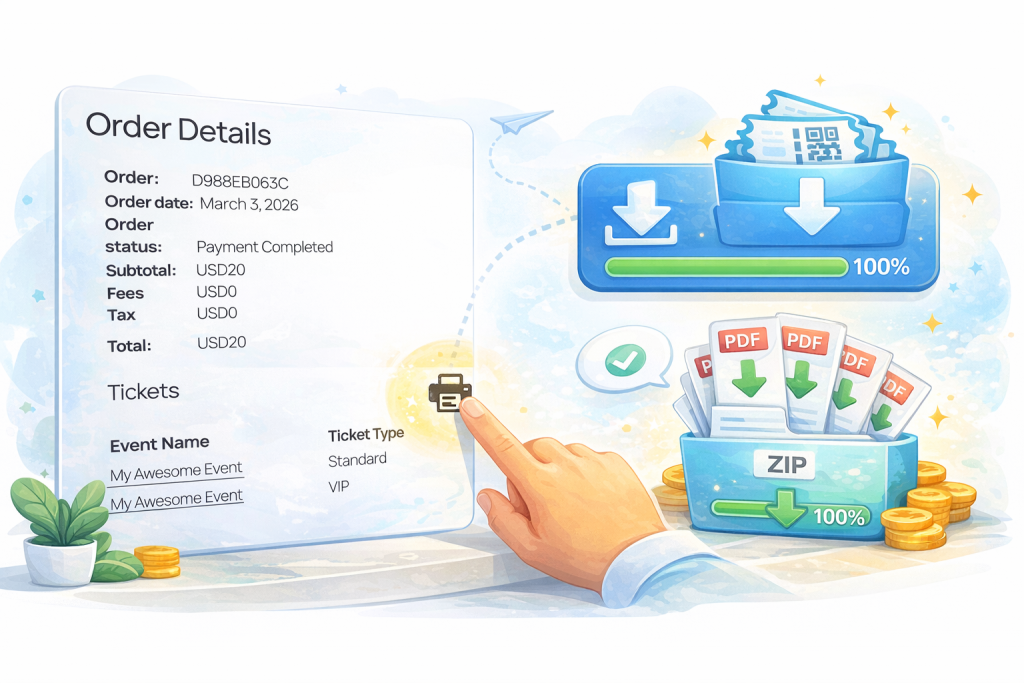
The new bulk download solution allows customers to download all tickets from their order in one action.
Who this helps
- buyers who purchase multiple tickets for a group
- organizers who want fewer “where are my tickets?” support requests
- teams managing corporate bookings, guest lists, or table-style orders
- customers who need all PDFs quickly before arriving at the venue
It is important to clarify that this does not change how Tickera generates tickets. Individual tickets remain individual. The improvement is about access and convenience for the customer who placed the order.
Solution 2: Seating Charts Mobile Zoom Control
Seating charts are visual by nature, and mobile screens make every interaction more sensitive. A seating chart that feels comfortable on desktop can behave very differently on a phone.
Customers reported situations where:
- pinch-to-zoom accidentally selected seats
- the cart popup appeared while the buyer was trying to zoom
- the chart felt too sensitive on touch devices
- browser zoom and chart zoom created confusing behavior
This is not always a simple bug. Mobile zoom behavior involves the browser, the page, and the seating chart interface. The goal was to make the experience more predictable for organizers and buyers.
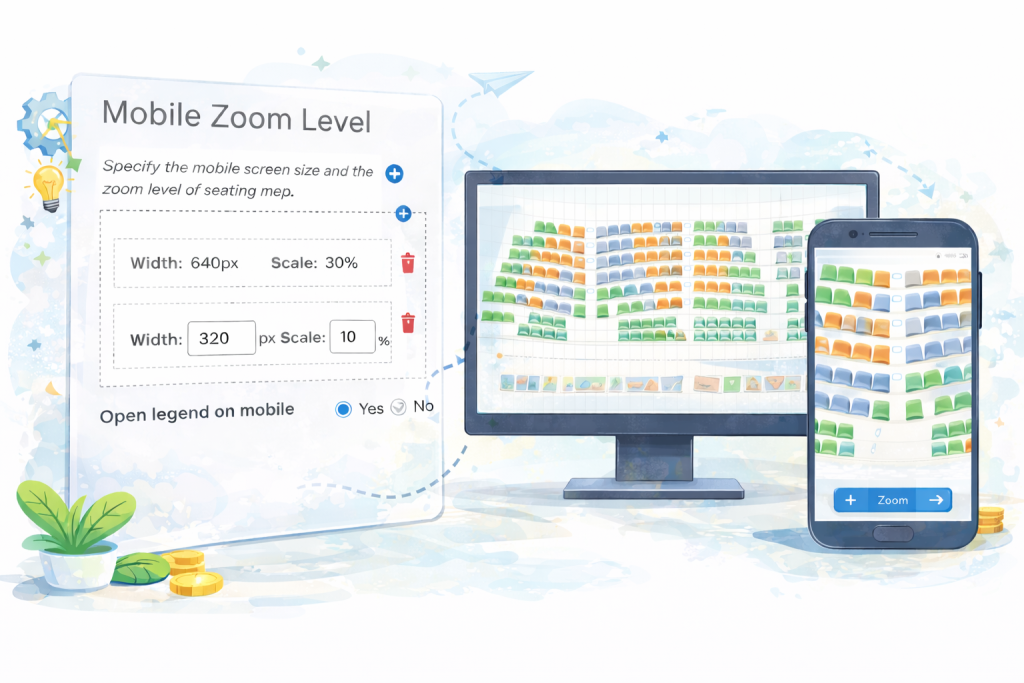
The custom mobile zoom solution gives organizers a clearer option inside:
Tickera Settings → Seating Charts
If built-in zoom is disabled, buyers can use standard browser pinch-to-zoom, which affects the full page. If built-in zoom is enabled, buyers use the plus and minus buttons to zoom the seating chart area without changing the rest of the page.
The benefit is not magic. It is clarity. Organizers can define the expected interaction model instead of leaving buyers in an ambiguous mobile experience.
Solution 3: Regenerate Ticket Codes for Existing Tickets
Ticket codes are small details with big operational importance. They identify tickets, support check-in, and help protect access to the event.
By default, Tickera generates unique ticket codes. In standalone setups, the logic works one way. When Tickera is used with WooCommerce through Bridge for WooCommerce, ticket codes may follow a different structure connected to WooCommerce orders.
That is perfectly functional for many events. But in some cases, organizers want more control, especially when ticket codes may be predictable, exposed, or need to be replaced for security reasons.
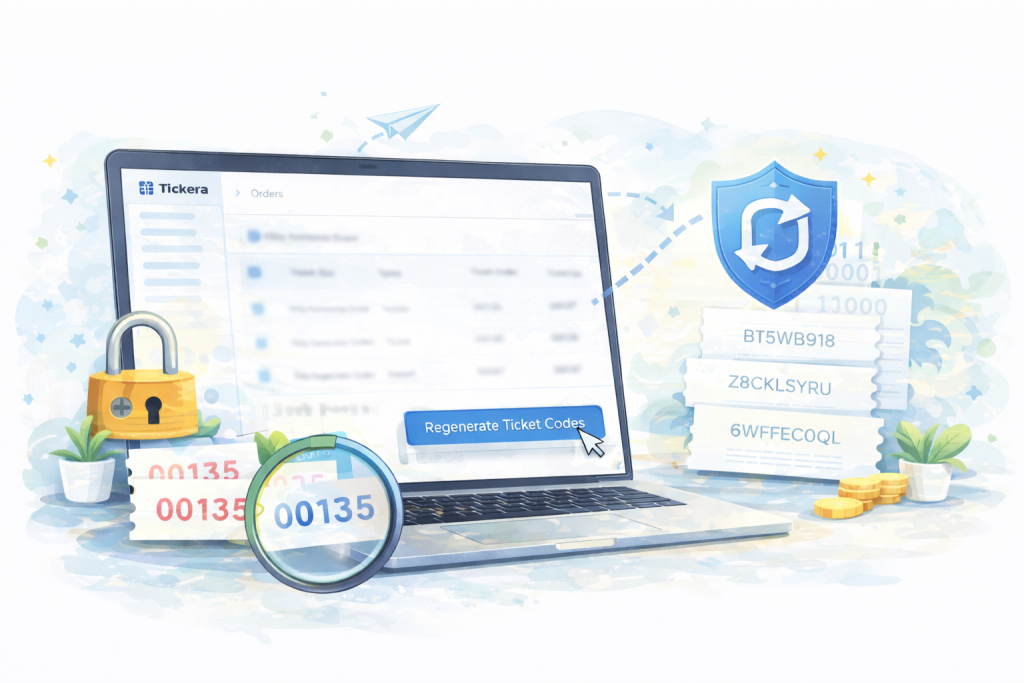
The regenerate ticket codes solution allows administrators to regenerate codes for existing ticket instances individually.
When regeneration is useful
- ticket codes were exposed publicly
- previously shared ticket versions need to be invalidated
- an organizer wants stronger security before check-in
- a WooCommerce-based setup needs less predictable ticket identifiers
- a high-profile event requires additional operational control
This becomes even stronger when used together with the Random Ticket Codes solution, which creates random nine-character ticket codes. Randomized codes plus regeneration gives organizers more flexibility when security conditions change.
If you regenerate codes for many tickets, remember the operational step that follows: buyers and/or attendees may need updated ticket emails. Tickera also supports resending emails to attendees, which helps keep the process controlled instead of chaotic.
Which Solution Should You Use?
Each solution is built for a different kind of friction. Use the one that matches the problem your event actually has.
- Use bulk download when buyers often purchase multiple tickets in a single order and need easier access to all PDFs.
- Use mobile zoom control when seating chart buyers struggle with touch interactions, accidental selections, or confusing zoom behavior.
- Use ticket code regeneration when security, exposure, or operational changes require ticket codes to be replaced.
The common thread is control. These updates help organizers reduce unnecessary friction without changing the core logic that makes the ticketing system reliable.
Why Customer Feedback Matters Here
Support is not only a place where problems get solved. It is also product research in real time.
When customers describe the same workflow problem from different events, a pattern appears. Sometimes the answer is documentation. Sometimes it is a setting. Sometimes it is a new solution that gives organizers the control they were missing.
That is how practical product development works best: not by chasing every request, but by listening for repeated friction that affects real event operations.
Implementation Checklist
Before using any new solution on a live event, review it the same way you would review any operational change.
- Confirm which problem you are trying to solve.
- Read the relevant documentation before enabling the change.
- Test the buyer experience on desktop and mobile.
- Test the complete ticket email and download flow.
- If using seating charts, test zoom behavior on real mobile devices.
- If regenerating ticket codes, plan how updated tickets will be resent.
- Tell support and front-of-house staff what changed.
- Review the setup before the event reaches peak sales or check-in pressure.
Small changes are still operational changes. Test them before the moment they matter most.
Recommended Next Read
If you are improving your ticketing workflow, these guides connect well with the same practical theme.
- How to build an event landing page that sells tickets
- The “we’ll fix it next year” event planning mistake
- What event managers actually do
Final Thoughts
These three Tickera solutions will not completely change the way event ticketing works. That is not the point.
They solve specific problems that real organizers and buyers encounter: too many ticket downloads, unpredictable mobile seating chart behavior, and ticket codes that need stronger control.
That kind of improvement matters because event software lives in details. When those details are smoother, buyers ask fewer questions, staff have fewer manual workarounds, and organizers have more confidence in the system supporting the event.
If you are facing a workflow limitation, tell us. Some of the most useful Tickera improvements start exactly there.
FAQ
Can customers download all tickets from one Tickera order?
Yes, the bulk download solution allows customers who purchased multiple tickets in a single order to download all tickets from that order more easily.
Does bulk download change individual ticket codes?
No. Each ticket remains an individual ticket with its own code and lifecycle. Bulk download only improves how the customer accesses tickets from the order.
Can Tickera seating charts control mobile zoom behavior?
Yes. Organizers can choose between built-in seating chart zoom controls and standard browser pinch-to-zoom behavior, depending on the experience they want buyers to have.
Why would I regenerate ticket codes?
You may regenerate ticket codes if codes were exposed, if you need to invalidate older versions, or if you want stronger control over ticket security before the event.