

Three new Tickera solutions – shaped by you
There are certain kind of Tickera solutions that do not start in a planning meeting nor it does come from a roadmap brainstorm, trend report, or competitor analysis but starts with a simple support ticket.
Over the years, we’ve said it many times: Tickera grows by listening. In our post Your ideas make Tickera better. Want to share them? and later in Inside Tickera support and what it teaches us we talked about how real-world usage shapes real improvements.
Today, we want to highlight three new solutions that recently came directly from those conversations:
- Bulk download tickets (for customers)
- Seating charts mobile zoom adjustment
- Regenerate ticket codes (with stronger security options)
Each one solves a very specific pain point. None of them are flashy yet all of them matter.
Let’s break them down.
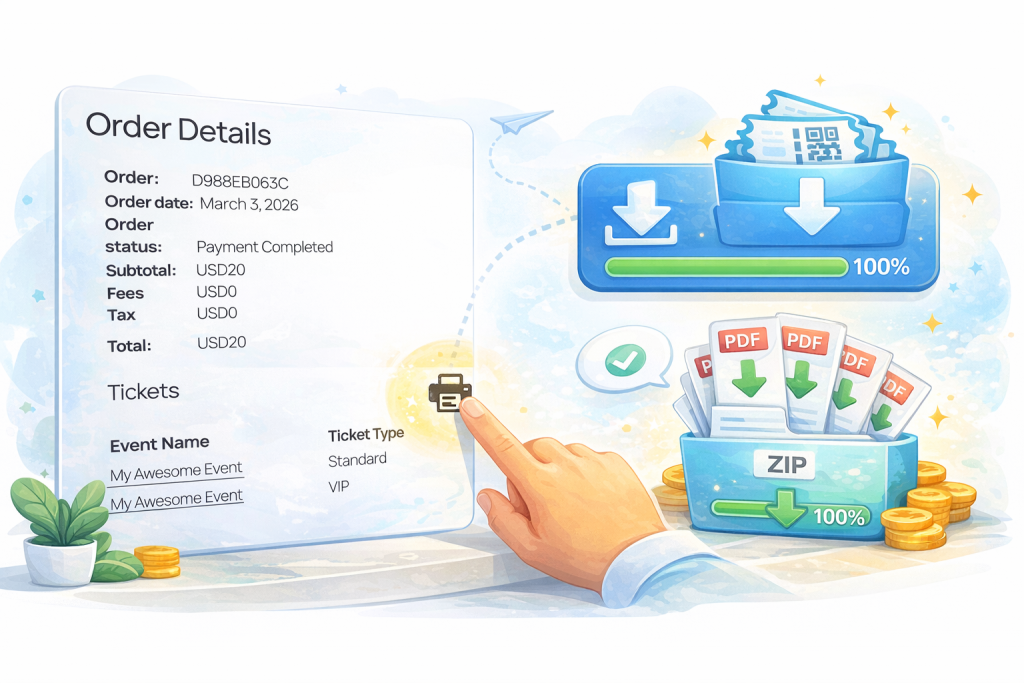
Bulk download tickets
(because one order can mean twenty PDFs)
One of the most common support questions we’ve received over the years sounds something like this:
“My customer purchased 8, 12, 20 tickets in one order. Do they really have to download each ticket separately?”
Until now, the answer was essentially yes. Tickera always generates each ticket as a separate instance and that’s by design. Every ticket is unique, with its own code, its own check-in state, its own lifecycle.
But we listened carefully to what organizers were actually describing. So, first we have introduced content management for the table of purchased tickets which includes an option to include QR code in the content of the table, hence the email as well.
However, the new bulk download solution allows ticket buyers (not organizers, and not individual attendees) to download all tickets from their order in a single action.
It’s important to clarify something here: this feature is available to customers who purchase multiple tickets within a single order. Attendees still receive only their individual tickets, as usual. If attendee fields are used at checkout (which is optional), each attendee gets their own ticket.
This solution doesn’t change the core logic of how Tickera generates tickets. It simply removes unnecessary friction at the moment when a customer needs quick access to everything they purchased.
Small improvement. Big difference when someone is managing 15 guests.
Seating charts mobile zoom
(control the experience, not the chaos)
If you’ve ever tested seating charts extensively on mobile devices, you know that zoom behavior can be… complicated.
We’ve had customers report situations where:
- Pinch-to-zoom accidentally selects seats
- The cart popup opens while someone is just trying to zoom
- The seating chart feels “too sensitive” on touch devices
This isn’t always a bug. It’s often a balance between browser-level zoom and seating chart-level zoom controls.
So we introduced a clearer, more predictable approach to mobile zoom behavior.
Now, organizers can decide how zooming works by adjusting a simple option in:
Tickera Settings -> Seating Charts
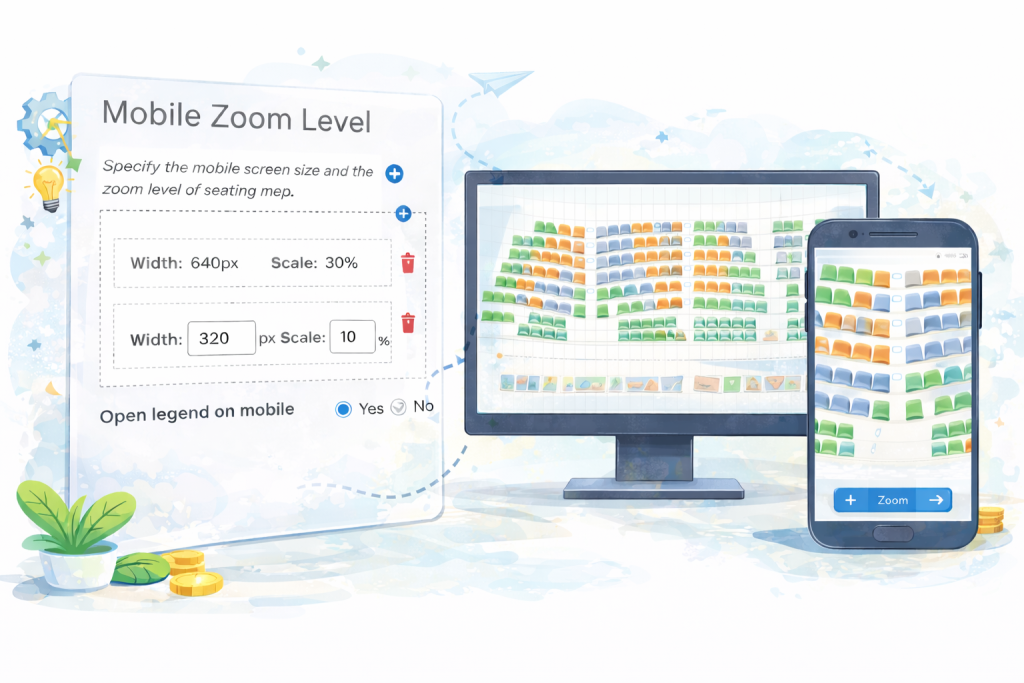
If you disable built-in zoom, customers can use standard browser pinch-to-zoom - but it affects the entire page.
If you enable built-in zoom, customers use the + and – buttons at the bottom of the seating chart to zoom only the chart area, without affecting the rest of the page.
There’s no magic switch that makes pinch-to-zoom behave differently inside just one isolated element - that’s largely controlled by the browser environment. But what we’ve done is give you clarity and control over how the experience behaves.
Instead of ambiguity, you get a defined interaction model. And when you’re selling tickets on a live production website, predictability matters more than cleverness.
Regenerate ticket codes
(security that adapts to real situations)
Now let’s talk about something slightly more sensitive: ticket codes.
By default, Tickera generates unique codes for each ticket. In standalone mode, those codes follow one logic. When using Tickera alongside WooCommerce via Bridge for WooCommerce, the logic is slightly different.
And that’s where things get interesting.
When using WooCommerce, ticket codes are often based on the WooCommerce order number. While perfectly functional, order numbers can sometimes be predictable. And in certain environments, predictability is not something organizers are comfortable with.
We listened to those concerns.
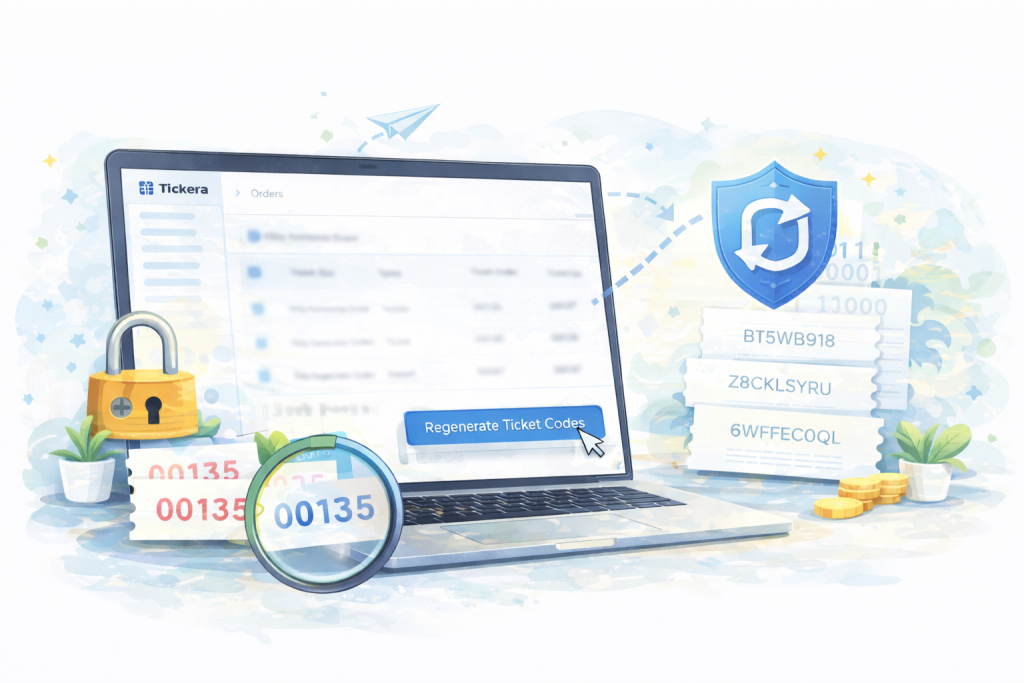
The new regenerate ticket codes solution allows administrators to regenerate ticket codes for each ticket instance individually.
This is particularly useful in situations where:
- Codes were exposed publicly
- You want to invalidate previously shared versions
- You need to harden ticket security mid-sale
And here’s where it becomes even more powerful.
When used together with the Random Ticket Codes solution - which generates completely random nine-character ticket codes - you significantly increase the security layer. Instead of sequential or pattern-based codes, you get non-predictable identifiers.
This is especially relevant when using Tickera with WooCommerce via Bridge for WooCommerce, where ticket codes otherwise reflect WooCommerce order structure.
Randomized codes + regeneration capability = flexibility and control.
And one more thing...
If you regenerate codes for a large number of tickets within an event, you may need to resend tickets to buyers and/or attendees. That’s entirely possible and made easy even if you're sending emails to all the buyers/attendees for the whole event using this solution. This ensures everyone receives updated ticket versions with the new codes.
Security improvements should never create operational chaos and with the right process, they don’t.
Yes, we know - it's not really a headline material
None of these Tickera solutions won’t dramatically change the way ticketing works nor revolutionize the event industry.
But they do something arguably more important: they remove friction where it actually exists.
A customer managing 20 tickets doesn’t want 20 separate downloads.
A mobile user doesn’t want accidental seat selection while zooming.
An organizer doesn’t want predictable ticket codes for high-profile events.
These are real-world problems of real users that required real-world solutions.
Built for you - with you
In our earlier posts, Your ideas make Tickera better. Want to share them? and Inside Tickera support and what it teaches us we talked about something that still defines how we work: support is active product research in real time. So if you’ve ever written to us with a suggestion, edge case, or workflow challenge - there’s a very real chance it influenced something you see today. And if you’re currently facing something that feels like a limitation, a missing toggle, or a friction point… tell us. Some of the most useful improvements begin exactly that way.