Quick answer
Event schema markup is a small block of structured data (JSON-LD) you add to an event page so search engines understand that the page is about a real event with a date, a venue and tickets for sale. Add it correctly and your event can appear in Google’s event experiences and rich results with the date, location and ticket price shown before anyone clicks. If you sell tickets on your own WordPress site, you control that markup yourself — which is the whole point.
- Google will not invent event data for you. If your page has no structured data, your listing is a plain blue link while marketplace pages get the rich treatment.
- The fields that do the heavy lifting are
name,startDate,location,eventStatusandoffers— everything else is polish. - Stale markup is worse than none. If your event sells out, moves online or gets postponed, the structured data has to change with it.
In this guide
- What event schema markup actually is
- Why it matters more in 2026 than it did in 2020
- The fields Google actually requires
- Getting the ticket offer right
- Online, hybrid and multi-date events
- Cancellations, postponements and sold-out events
- Seven mistakes that quietly kill your rich results
- How to test and monitor your markup
- How Tickera helps
- Checklist
- Final thoughts
- FAQ
What event schema markup actually is
Structured data is a machine-readable description of what a page contains. A human reading your event page sees a headline, a poster image and a buy button, and instantly understands “concert, Friday night, £25”. A crawler sees a wall of HTML. Schema markup closes that gap by stating the facts explicitly in a standard vocabulary defined at schema.org.
For events, the relevant type is Event (or a more specific subtype like MusicEvent, TheaterEvent, BusinessEvent or SportsEvent). The recommended format is JSON-LD: a <script type="application/ld+json"> block dropped into the page. It is invisible to visitors, does not affect your layout, and can be updated independently of your design.
A minimal, valid example for a single in-person event looks like this:
{
  "@context": "https://schema.org",
  "@type": "MusicEvent",
  "name": "Riverside Summer Session",
  "startDate": "2026-08-14T19:30:00+01:00",
  "endDate": "2026-08-14T23:00:00+01:00",
  "eventStatus": "https://schema.org/EventScheduled",
  "eventAttendanceMode": "https://schema.org/OfflineEventAttendanceMode",
  "location": {
    "@type": "Place",
    "name": "The Old Granary",
    "address": {
      "@type": "PostalAddress",
      "streetAddress": "12 Mill Lane",
      "addressLocality": "Bristol",
      "postalCode": "BS1 4XY",
      "addressCountry": "GB"
    }
  },
  "image": ["https://example.com/riverside-1x1.jpg"],
  "description": "An evening of live acoustic sets by the water.",
  "offers": {
    "@type": "Offer",
    "url": "https://example.com/riverside-summer-session/",
    "price": "25.00",
    "priceCurrency": "GBP",
    "availability": "https://schema.org/InStock",
    "validFrom": "2026-06-01T09:00:00+01:00"
  },
  "organizer": {
    "@type": "Organization",
    "name": "Riverside Live",
    "url": "https://example.com/"
  }
}
That is genuinely most of it. The complexity in event structured data does not come from the syntax — it comes from keeping the values honest as the event changes.
Why it matters more in 2026 than it did in 2020
Two things changed. First, search results for events became visual: date chips, venue names, price ranges and “tickets from” labels now sit in the results page itself. A listing with structured data occupies more vertical space and answers the two questions every ticket buyer has — when and how much — before the click.
Second, AI-generated answers and assistants now read pages to summarise them. Explicit, well-formed structured data is the cleanest signal you can give about a date, a venue and a price. When a model has to choose between a marketplace page that states its facts in machine-readable form and your page that buries them in a hero image, it is not a fair fight.
Structured data does not make a bad page rank. It makes a good page legible. If your event page is thin, slow or ambiguous about the date, markup will not save it — fix the page first, then describe it properly.
There is also a defensive angle. If you sell through a large marketplace, that marketplace’s listing for your event is marked up beautifully and competes with your own page for the same search. Selling on your own domain, with your own markup, is how you stop paying to rank second for your own event name. We covered the wider version of that argument in selling tickets without marketplace fees.
The fields Google actually requires
It is easy to drown in schema.org’s property list. In practice there is a short required set, a short recommended set, and a long tail that rarely changes anything.
| Property | Status | What to watch for |
|---|---|---|
name |
Required | The event name only. No dates, no venue, no “Buy tickets” — those belong in other fields. |
startDate |
Required | ISO 8601 with a timezone offset. A date without a time or offset is the single most common cause of wrong dates in results. |
location |
Required | Place with a full PostalAddress for physical events; VirtualLocation with a URL for online ones. |
endDate |
Recommended | Strongly recommended. Without it, search engines guess how long the event runs. |
eventStatus |
Recommended | Essential the moment anything changes. Defaults to scheduled if omitted. |
eventAttendanceMode |
Recommended | Offline, online or mixed. Required in practice for online events to display correctly. |
offers |
Recommended | Where price, currency, availability and the ticket URL live. See the next section. |
image |
Recommended | Supply several aspect ratios (16:9, 4:3, 1:1), at least 1,200 px wide, publicly crawlable. |
organizer, performer |
Optional | Cheap to add and useful for disambiguation, especially for touring acts. |
Two details deserve emphasis. The timezone offset on startDate is not decoration: a doors-at-19:30 event written as 2026-08-14 can surface as an all-day event, and written without an offset it may shift by hours for international visitors. And name should stay clean — stuffing “Tickets | Bristol | August 2026” into it looks like keyword spam to the systems evaluating your markup, and it reads badly in the result.
Getting the ticket offer right
The offers block is where event markup most often goes wrong, because it is the part that has to reflect live inventory.
If you sell one ticket type, use a single Offer. If you sell tiers — early bird, general admission, VIP — supply an array of offers, one per tier, each with its own price, availability and validity window. Search engines will typically display the lowest available price or a range, which is exactly what you want when your early-bird tier is the hook. If tiering is new to you, our guide to structuring ticket tiers pairs naturally with this.
| Situation | availability value | Also update |
|---|---|---|
| On sale, tickets remaining | InStock |
— |
| Sold out | SoldOut |
Page copy and the buy button, so they agree |
| Sale not open yet | PreOrder |
validFrom set to the on-sale moment |
| Waitlist only | SoldOut |
Link the offer URL to the waitlist form |
| Free registration | InStock |
price as "0" with a currency still specified |
Three rules keep offers trustworthy. Use the numeric price only — "25.00", not "£25" or "from £25". Always pair it with priceCurrency in ISO 4217 form. And point offers.url at the page where someone can actually buy, not at your homepage. If the markup promises £25 and the checkout charges £29 after a mandatory fee, you have created a mismatch that erodes trust with both search engines and buyers — one more argument for transparent, fee-free pricing, which we unpack in our ticket pricing strategy guide.
Online, hybrid and multi-date events
Online events use the same Event type with two changes: eventAttendanceMode becomes OnlineEventAttendanceMode, and location becomes a VirtualLocation with a url. That URL should be the page attendees go to — a landing or access page is fine; you do not have to expose a private stream link.
Hybrid events set MixedEventAttendanceMode and supply both locations as an array: the physical Place and the VirtualLocation. Omitting one is the usual reason a hybrid event displays as venue-only.
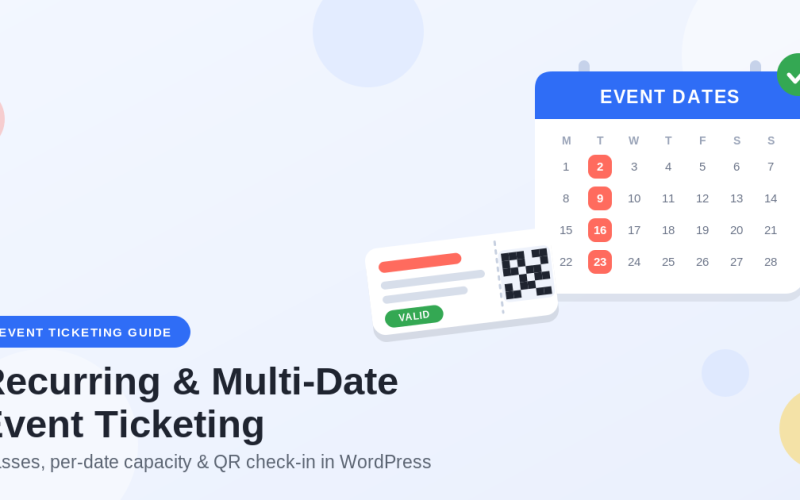
Multi-date events are where most organizers overreach. The instinct is to describe a whole season on one page. Structured data prefers the opposite: one URL per occurrence, each with its own Event block and its own startDate. If you have a hub page listing the run, mark that up as an EventSeries containing subEvent entries, and give each individual night a real page of its own. It is more work up front, and it is the difference between one listing and twelve. The practical mechanics of running those dates are covered in selling tickets for recurring and multi-date events.
Cancellations, postponements and sold-out events
The eventStatus property exists precisely for the messy moments, and it is the field organizers most often forget to touch. The values are specific and each has a follow-on obligation:
EventScheduled— the default. Nothing unusual.EventCancelled— keep the page live with the originalstartDate. Do not delete the page; a 404 tells search engines nothing and leaves stale listings floating.EventPostponed— keep the oldstartDateuntil you have a new one. Only then switch toEventRescheduled.EventRescheduled— set the newstartDateand addpreviousStartDatewith the old one.EventMovedOnline— change the attendance mode to online and add the virtual location alongside the change of status.
Sold-out events are a separate axis: status stays EventScheduled while the offer’s availability becomes SoldOut. Conflating the two — marking a sold-out event as cancelled — removes you from results you would still benefit from appearing in, since a sold-out listing is exactly where waitlist signups and resale demand come from. If you handle changes often, our playbook on cancelling or postponing an event covers the attendee-facing side.
Seven mistakes that quietly kill your rich results
- Dates without timezone offsets.
2026-08-14T19:30:00is ambiguous. Add the offset every time. - Marking up an event that has passed. Historic events are fine to keep online, but do not leave them in a listing feed as if they were upcoming.
- Markup that contradicts the visible page. If the page says £30 and the JSON-LD says £25, the mismatch can invalidate the whole block. Everything in your structured data must be visible to a human somewhere on the page.
- Marking up a category or listing page as a single event. A page showing eight events is not one
Event. UseItemList, or mark up each event on its own page. - Duplicate or conflicting blocks. An SEO plugin, a theme and a manual snippet all emitting event markup produces contradictory data. Pick one source and disable the others.
- Images that fail. Blocked by robots.txt, under 1,200 px wide, or a single tall portrait crop — all common, all avoidable.
- Set and forget. Markup written once in June and never touched by August is a liability, not an asset.
How to test and monitor your markup
Testing takes minutes and prevents months of silent failure. Run your live URL through Google’s Rich Results Test to confirm the Event type is detected and there are no errors; run it through the Schema Markup Validator for strict schema.org conformance, which catches problems Google tolerates but other consumers do not. Google’s own event structured data documentation is the authoritative reference for field requirements and is worth re-reading each season, since the guidance does change.
Then set up the ongoing habit. In Search Console, the Events report under Enhancements lists errors and warnings across your site — check it after every batch of new events goes live. Warnings are worth fixing; errors mean you are not eligible for rich results at all.
| Moment | What to check |
|---|---|
| Event page published | Rich Results Test passes; date, price and venue match the visible page |
| Sale opens | availability flips from PreOrder to InStock |
| A tier sells out | That tier’s offer shows SoldOut; remaining tiers still InStock |
| Anything changes | eventStatus updated, plus page copy and any pending emails |
| Monthly | Search Console Events report reviewed; past events removed from feeds |
One caution: rich results are never guaranteed. Valid markup makes you eligible, not entitled. Treat a missing rich result as a prompt to check page quality, not only the JSON.
How Tickera helps you keep event markup honest
Every problem above is really the same problem: the truth about your event lives in your ticketing system, and your structured data has to agree with it. That is much easier when both live on the same site.
With Tickera, events and ticket types are native WordPress content on your own domain. Your event page has a real date, a real venue and real ticket types with real prices and quantities sitting in the database — the exact values your Event and Offer blocks need. When a tier sells out, the source of truth changes in one place rather than in a spreadsheet, a marketplace listing and a hand-written snippet. Because tickets are sold from your own domain rather than a third-party page, the rich result points at your site, and the traffic and the buyer relationship stay with you.
Multi-date and recurring events get their own pages with their own dates, which is what per-occurrence markup requires. Seating charts, custom attendee forms and QR-code check-in all hang off the same event record, so what buyers see on the page, what search engines read in the markup, and what your door staff scan on the night are describing one event, not three. Pricing is on the Tickera pricing page — a flat licence rather than a cut of every ticket, which also means the price in your markup is the price your buyer pays.
Checklist
- One event, one URL, one JSON-LD
Eventblock — no duplicates from theme or plugins. startDateandendDatein full ISO 8601 with timezone offsets.locationcomplete: full postal address, orVirtualLocationwith URL, or both for hybrid.eventAttendanceModeset explicitly rather than left to inference.offersper ticket tier, with numeric price, ISO currency, availability and a direct buy URL.validFromon offers that go on sale later.- At least one crawlable image, 1,200 px or wider, ideally in three aspect ratios.
organizerandperformerfilled in where they apply.- Every value in the markup also visible to a human on the page.
- Rich Results Test passed before the page is promoted anywhere.
- A named owner responsible for updating status and availability when things change.
- Search Console Events report checked monthly.
Final thoughts
Event schema markup is one of the few SEO tasks with a clear finish line. There is a defined set of fields, an official validator that tells you whether you got them right, and a visible payoff in the search result. It is not a growth hack and it will not rescue a page nobody wants to visit — but for an organizer whose event page is already decent, it is a couple of hours that makes every future search impression work harder.
The discipline that matters is not writing the markup. It is maintaining it: flipping availability when a tier sells out, setting the status when a date moves, and retiring events once they have happened. Build that into the same routine you already use for your event landing page and it stops being a project and becomes a habit.
FAQ
Does event schema markup improve my rankings?
Not directly. Structured data is not a ranking factor in itself. What it does is make your page eligible for richer search presentations — date, venue and price shown in the result — which typically improves click-through rate on the ranking you already have. Better engagement can help indirectly, but treat markup as a presentation and clarity investment rather than a ranking lever.
Do I need a plugin to add event schema markup in WordPress?
No. JSON-LD is just a script block, and you can output it from a template, a block, or a small function. A plugin helps when you have many events and want the markup generated automatically from your event data rather than maintained by hand. The important thing is to have exactly one source emitting event markup — several plugins each adding their own block is a common cause of conflicting data.
What should I do with the markup after my event finishes?
Leave the page and its markup in place with the original date if the page has lasting value, such as photos, a recap or a link to the next edition. Just make sure the event no longer appears in any feed or listing that implies it is upcoming, and that its offers no longer show as in stock. Deleting the page outright is usually the worse option, since inbound links and any cached listings then point at nothing.
How do I mark up an event with several ticket types?
Use an array of Offer objects inside offers, one per ticket type, each with its own price, currency, availability and validity window. Search engines will generally display the lowest available price or a price range. Keep availability accurate per tier: if early bird has sold out but general admission has not, only the early-bird offer should show as sold out.
My markup validates but no rich result appears. Why?
Valid markup makes a page eligible for rich results, not guaranteed to receive them. Common reasons include the page being too new or not yet indexed, thin or duplicated content, a mismatch between markup and visible page content, or a manual action. Check the Events report in Search Console first, then look critically at the page itself, and allow time after any fix for recrawling.
Should each date of a recurring event get its own page?
For structured data purposes, yes. Each occurrence should have its own URL with its own startDate and its own offers, because that is what search engines can list individually. A hub page for the whole run is still useful and can be marked up as an EventSeries with subEvent entries pointing at the individual dates.