If you want to sell more event tickets, the problem is rarely just “not enough traffic.” Most event pages lose potential buyers because the value is unclear, the ticket options are too limited, the checkout process creates friction, or the follow-up campaign is too weak.
That is good news, because all of those problems can be fixed. Better ticket sales usually come from a stronger event offer, clearer positioning, smarter pricing, better timing, and a buying experience that feels simple from the first click to the confirmation email.
This guide covers practical, field-tested ways to increase event ticket sales for conferences, workshops, concerts, festivals, webinars, seminars, meetups, fundraisers, and local events. Whether you sell tickets through WordPress, WooCommerce, or a dedicated ticketing plugin like Tickera, the fundamentals below will help you convert more visitors into attendees.
The goal is not just to get more people to the event page. The goal is to help the right people understand the value quickly, trust the offer, and complete the purchase without friction.
Quick Takeaways
- Make the event value obvious before you explain the schedule.
- Use ticket tiers, deadlines, and limited availability to help people decide sooner.
- Place testimonials, speaker credibility, and trust signals close to the ticket button.
- Remove unnecessary checkout fields and optimize the purchase flow for mobile.
- Use email, remarketing, and post-purchase communication to keep demand moving.
- Sell tickets from your own website when you want more control over fees, customer data, and attendee experience.
Ticket Sales Optimization Checklist
| Area | What to improve | Why it matters |
|---|---|---|
| Event page | Headline, value proposition, agenda, proof | Helps visitors understand why the event is worth attending |
| Ticket setup | Early Bird, VIP, group, online, and standard ticket options | Matches different buyer motivations and budgets |
| Checkout | Short forms, mobile usability, clear payment steps | Reduces abandonment from people who are ready to buy |
| Promotion | Email sequence, remarketing, deadline reminders | Brings interested buyers back before the sales window closes |
| Post-purchase | Confirmation, reminders, referrals, upgrades | Improves attendance and creates additional sales opportunities |
Lead With the Outcome, Not the Event Description
Many event pages start with a generic description: “Join us for a one-day marketing conference.” That tells people what the event is, but it does not explain why they should care.
Visitors are silently asking four questions when they land on your page:
- What will I learn, experience, or achieve?
- Why is this worth my time and money?
- Why should I buy a ticket now instead of later?
- Why is this event better than another option?
A stronger opening focuses on the result: “Learn how to reduce ad costs, improve conversions, and build a marketing system that generates sales even when your campaigns are not running.”
That kind of message gives people a reason to keep reading. The format, location, speakers, and agenda still matter, but the outcome should come first.
Create Ticket Types for Different Buying Motivations
A single ticket price creates a single decision: buy or leave. Multiple ticket types give buyers more flexibility and allow you to serve different audience segments without changing the core event.
- Early Bird tickets for price-sensitive buyers who are willing to commit early.
- Standard tickets for the main sales period.
- VIP tickets for attendees who want premium access, better seats, private sessions, or networking opportunities.
- Group tickets for teams, companies, schools, clubs, or communities.
- Student or nonprofit tickets when accessibility is part of your event strategy.
- Online access for remote attendees or hybrid events.
Ticket tiers can increase both conversion rate and average order value. Some people need a lower entry point. Others are happy to pay more for convenience, access, or status. If you offer only one option, you may be limiting both sales volume and revenue.
If you are using WordPress, Tickera makes it possible to create and manage different ticket types directly on your site, without sending buyers to a third-party marketplace.
Use Early Bird Pricing With a Real Deadline
Early Bird pricing works because it gives people a clear reason to act before the final sales push. But vague urgency does not perform as well as specific urgency.
Weak message: “Early Bird tickets ending soon.”
Better message: “Early Bird pricing ends Friday, May 31 at 11:59 PM.”
Stronger message: “Only 37 Early Bird tickets remaining. Price increases on Friday at 11:59 PM.”
The best campaigns combine a date-based deadline with quantity-based scarcity. People understand the cost of waiting when they can see that the current price or ticket type will disappear.
Turn the Agenda Into a Reason to Buy
An agenda should do more than list times and session names. It should show the buyer what each part of the event helps them understand, solve, or experience.
Instead of writing “Panel discussion,” write something more specific: “Panel discussion: how leading teams are growing with smaller budgets.” Instead of “Networking break,” write “Networking break: meet speakers, sponsors, and other attendees working on the same challenges.”
A schedule tells people what happens. A benefit-driven agenda tells people why it matters. That distinction can make a major difference in event ticket conversions.
Place Trust Signals Near the Ticket Button
Before someone buys a ticket, they often need reassurance. The closer they get to the purchase decision, the more important trust becomes.
Place your strongest proof near the ticket button, not only at the bottom of the page. Useful trust signals include:
- Testimonials from previous attendees
- Speaker credentials and recognizable names
- Sponsor, partner, or media logos
- Photos or videos from previous events
- Ratings, attendance numbers, or satisfaction scores
- Refund policy, transfer policy, or buyer protection information
- Clear contact details for support
For example: “More than 2,400 attendees joined our events over the past three years. Average attendee rating: 4.8/5.” A detail like this can reduce hesitation at exactly the right moment.
Simplify the Checkout Process
Every unnecessary checkout step gives potential buyers another chance to abandon the purchase. If the checkout asks for too much information, loads slowly, feels confusing, or forces account creation, your event will lose sales that were already close to converting.
A clean ticket checkout usually needs only four steps:
- Choose ticket type and quantity
- Enter buyer and attendee details
- Complete payment
- Receive confirmation and tickets by email
Ask only for information you truly need. If a field is not required for payment, ticket delivery, check-in, legal compliance, or event operations, consider removing it from checkout and collecting it later.
This is also where owning the ticketing experience matters. If your ticketing system lets you control the checkout flow, fields, fees, and emails, you can optimize the buying journey instead of accepting whatever a marketplace gives you.
Checkout is not admin work. It is part of your sales page. Every unnecessary field, unclear step, or slow mobile interaction can cost real revenue.
Optimize the Event Page for Mobile Buyers
Many buyers will first discover your event on a phone through Instagram, LinkedIn, email, WhatsApp, search, or a recommendation from a friend. If the mobile page is slow or hard to use, you may lose them before they ever reach the ticket section.
Review the mobile experience carefully:
- Is the headline clear without scrolling too far?
- Are the date, location, and price easy to find?
- Is the “Buy ticket” button visible early and repeated naturally?
- Are ticket tiers readable on a small screen?
- Does the checkout work without zooming or horizontal scrolling?
- Are images compressed so the page loads quickly?
- Does the payment step feel trustworthy on mobile?
Mobile optimization is not just a design issue. It is a revenue issue. A slow or confusing mobile page can waste ad budget, email clicks, and social traffic.
Build an Email Sequence Instead of Sending One Announcement
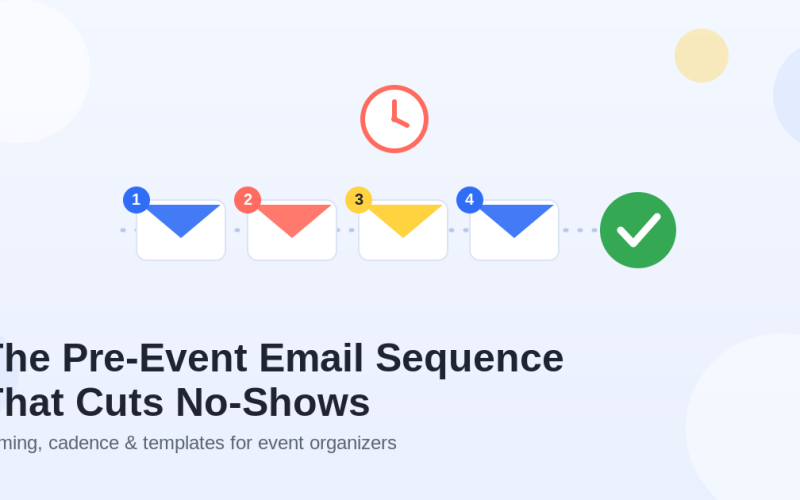
One email is rarely enough to sell out an event. People are busy. They see the announcement, feel interested, and then forget. A structured email sequence keeps the event visible and gives subscribers multiple reasons to buy.
A strong ticket sales sequence might include:
- Event announcement with the main value proposition
- Speaker, performer, or agenda highlight
- Breakdown of what attendees will learn or experience
- Social proof from previous attendees
- Early Bird deadline reminder
- Price increase reminder
- Final call for remaining tickets
- Post-purchase referral or “bring a friend” email
Each email should have a different purpose. Do not send the same “buy now” message over and over. Answer objections, build desire, show proof, and make the next step obvious.
Use Remarketing for Visitors Who Did Not Buy
Someone who visited your event page but did not buy is still a valuable prospect. They may have been interrupted, needed approval, wanted to compare options, or planned to return later.
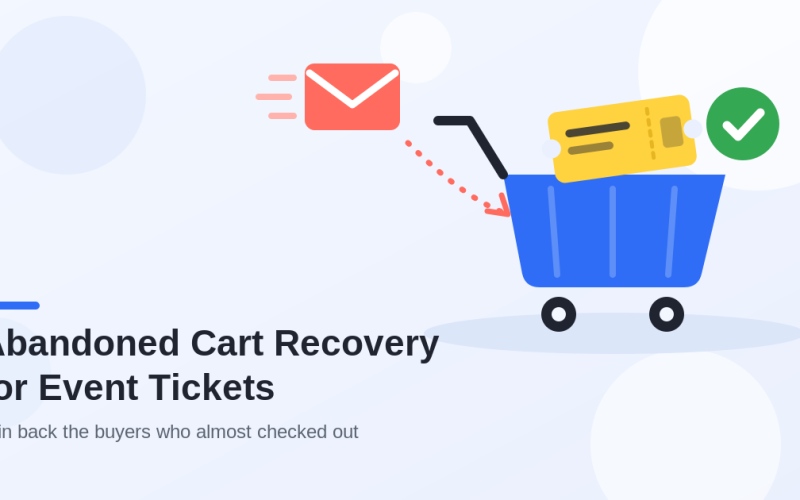
Remarketing helps bring those people back with a message that matches their level of intent. You can create audiences based on event page visitors, people who clicked the ticket button, abandoned checkout visitors, past customers, or email subscribers.
Good remarketing messages are direct and timely: “Still thinking about joining us? Early Bird pricing ends in 48 hours.” Or: “Tickets are moving fast. Reserve your seat before the next price increase.”
For best results, send people back to a focused event page with a clear ticket section, not a generic homepage.
Make Group Ticket Sales Easy
Group ticket sales can increase revenue quickly, especially for business, education, nonprofit, fitness, entertainment, and community events. Many people do not attend alone. They come with colleagues, friends, teams, students, clients, or partners.
Make group options obvious:
- Buy three or more tickets and save 10%
- Buy five or more tickets and save 15%
- Buy ten or more tickets and request a custom offer
- Create a company or team pass
- Offer a “bring a friend” discount after purchase
Even a simple line near the ticket section can help: “Bringing your team? Contact us for group pricing.” Some buyers will not complete a large purchase online, but they will send an inquiry if they see that group pricing exists.
Answer Buying Objections With a Strong FAQ Section
A clear FAQ section can improve ticket sales because it removes doubts before they become reasons to leave. The best FAQs answer practical questions that buyers are likely to ask right before checkout.
- Can I transfer my ticket to someone else?
- Is there a refund policy?
- Will I receive an invoice or receipt?
- When will I receive my ticket?
- Is food included?
- Where is the venue located?
- Is parking available?
- Will the event be recorded?
- Is online access available?
- What happens if the event is postponed?
If someone has to email support for a basic answer, the purchase is at risk. Put the most important answers directly on the event page.
Keep Selling After the First Ticket Purchase
A ticket purchase is not the end of the sales journey. It is the beginning of the attendee experience. Your confirmation and reminder emails can reduce confusion, increase attendance, and create additional revenue.
After purchase, consider sending:
- A clear confirmation email with ticket details
- A calendar link
- Venue directions and parking information
- Check-in instructions
- A referral offer or “invite a friend” message
- An upgrade offer for VIP access
- A reminder email before the event
- Useful pre-event content that builds excitement
Good post-purchase communication makes the event feel more professional and gives attendees a reason to share it with others.
Practical rule: if a buyer is interested enough to reach the ticket section, the page should answer their remaining questions without forcing them to email you.
Own Your Ticketing Data and Reduce Platform Dependence
Many organizers focus only on the visible ticket price and forget about the hidden cost of third-party ticketing platforms: buyer fees, limited branding, restricted customer data, and less control over the checkout experience.
When you sell event tickets from your own WordPress website, you have more control over the full buyer journey. You can manage landing pages, ticket types, checkout fields, analytics, email follow-ups, and attendee data in one place.
If you are comparing ticketing options, you may also find this related guide useful: How to Sell Event Tickets with WooCommerce Without Marketplace Fees, Data Lock-In, or Check-In Chaos.
Use WordPress to Build a Better Ticket Sales Funnel
WordPress gives event organizers an advantage because the event page, content marketing, checkout flow, analytics, SEO, and customer communication can all live under your own domain.
With Tickera, you can sell tickets directly from WordPress, create different ticket types, send digital tickets, use QR code check-in, and manage attendees without depending on an external marketplace. That makes it easier to optimize conversion rates and keep control of your event brand.
For more practical ideas, see these Tickera resources:
- How to choose a ticketing system in 2026
- Small ticketing decisions that quietly hurt your margins
- How to sell out tickets for your event
- Barcode scanners and Checkinera apps: which one and why?
FAQ About Selling More Event Tickets
What is the best way to sell more event tickets?
The best way to sell more event tickets is to combine a clear event value proposition, strong ticket pricing, deadline-driven promotion, mobile-friendly checkout, social proof, email follow-ups, and remarketing. More traffic helps, but conversion improvements often produce faster results.
When should I start promoting an event?
Start as early as your audience needs to plan. Small local events may need a few weeks, while conferences, festivals, and business events often need several months. The earlier you start, the more useful Early Bird pricing, speaker announcements, and email sequences become.
Do Early Bird tickets really increase sales?
Yes, Early Bird tickets can increase sales when the deadline is specific and the discount is meaningful. They work best when combined with limited availability, a clear price increase, and reminder campaigns before the deadline.
Should I sell tickets on my own website or through a marketplace?
Selling tickets on your own website gives you more control over branding, data, fees, checkout, analytics, and customer communication. Marketplaces may offer discovery, but they often come with higher fees and less control over the attendee relationship.
Final Thoughts
To sell more event tickets in 2026, focus on the full buyer journey. Make the value clear, create smart ticket options, build urgency, prove credibility, simplify checkout, and keep communicating before and after purchase.
The event does not need the biggest possible audience to be successful. It needs the right audience, a compelling reason to attend, and a buying process that does not get in the way.
If you want to sell tickets directly from WordPress, keep control of your attendee data, and avoid unnecessary marketplace fees, Tickera gives you the tools to manage ticket sales, digital tickets, and event check-in from your own website.
FAQ
How can I sell more event tickets?
Sharpen your offer and pricing, build a strong event page, promote in layers across channels, use honest urgency and social proof, and remove friction from checkout.
What is the fastest way to boost ticket sales?
Improve your event page and checkout, add honest urgency such as deadlines or limited tiers, and email your existing audience, who are your warmest buyers.
Why aren’t my event tickets selling?
Often the problem is the page, the price, or the checkout rather than promotion. Diagnose clarity, trust, and friction before spending more on driving traffic.