Choosing a ticketing system in 2026 looks easy at first. There are more platforms, more integrations, cleaner dashboards, faster onboarding flows, and more “start selling in minutes” promises than ever.
The harder question is not whether a system can handle your first event. Most decent platforms can. The real question is whether the same system will still feel like the right choice in 2028, after your audience grows, your ticket structure changes, your reporting needs become more specific, and small fees have had time to compound.
That is where long-term regret usually begins. Not because organizers choose badly, but because they choose for the launch instead of the lifecycle.
Short version: choose a ticketing system by looking at ownership, fee structure, reliability under pressure, data portability, checkout clarity, reporting, and how well the platform can grow with your event over several years.
Start With the 2028 Question
Most ticketing comparisons are built around the wrong moment. They focus on how quickly you can launch, how nice the demo looks, and whether the current feature list covers the event you are planning right now.
Those things matter, but they are only the starting point. A better evaluation asks what the system will cost, expose, support, and limit after several event cycles.
Before choosing any platform, fast-forward your event two years:
- attendance has grown
- ticket prices are higher
- you run more than one event per year
- early bird and VIP tiers are more structured
- your email list matters more
- reporting needs are more serious
- your team expects fewer manual workarounds
If the system still feels comfortable in that future version of the event, you are evaluating the right way.
The Per-Ticket Fee Trap
Per-ticket fees rarely look dramatic at the beginning. A few percentage points plus a fixed amount per ticket can feel acceptable when you are planning one event and want convenience.
Now stretch that across three to five years: multiple events, more attendees, higher ticket prices, repeat customers, and bigger marketing campaigns. The small fee becomes a structural cost. It influences margins, pricing, cash flow, and sometimes even how aggressive your promotion can be.
Transaction-based pricing is not automatically wrong. For some organizers, it makes sense. But it should be evaluated over time, not only at launch.
The better question is not:
“What does this cost per ticket today?”
The better question is:
“What will this cost us if the event grows?”
If you are building for the long haul, that math often matters more than the demo.
Data Ownership Is Boring Until It Is Not
Data ownership rarely feels urgent during the first setup. You are focused on selling tickets, publishing the event page, testing payment, and making sure buyers receive confirmation emails.
Later, the question becomes more serious:
- Who owns the customer list?
- Can you export buyer and attendee data cleanly?
- Can you use that data for future marketing?
- Can you integrate it with your own tools?
- Can you leave the platform without rebuilding your audience from fragments?

For one-off events, this may be less important. For recurring organizers, festivals, venues, training centers, conferences, and membership-style access models, customer data becomes one of the most valuable assets in the business.
Choosing a ticketing system is partly choosing where your audience data will live. That decision deserves more attention than it usually gets.
Reliability Matters Most Under Pressure
Most systems look good when nothing unusual is happening. A demo works. A small test purchase succeeds. The dashboard feels clean. That is useful, but it does not prove much about pressure.
The real test appears when demand rises or something changes mid-process:
- traffic spikes during a launch
- buyers refresh while inventory is changing
- early bird tickets sell faster than expected
- confirmation emails fail or land in spam
- checkout freezes for a buyer halfway through
- a seating chart needs adjustment
- check-in begins and the line grows quickly
None of these moments automatically mean a platform is bad. They are normal operational stress points. What matters is whether the system behaves predictably when they happen.
Can you see what happened? Can you understand inventory state? Can you trace email delivery? Can staff resolve edge cases without guessing? Does check-in feel controlled or improvised?
Reliability is not only uptime. It is how understandable the system remains when the event is no longer calm.
Growth Changes What You Need
Early event setups are usually simple: one venue, a few ticket types, clear pricing, and straightforward check-in. As events grow, the structure changes.
Early bird pricing becomes more layered. Discount logic gets more specific. Seating zones multiply. Reporting requests become more detailed. Sponsors ask for cleaner numbers. Staff need clearer exports. Marketing wants better segmentation.

A good ticketing system should let you expand the setup without destabilizing what already works. Adding ticket types, adjusting pricing logic, refining seating rules, exporting data, or improving reporting should feel like extending a framework – not fighting the platform.
Growth increases expectations. A system chosen for simplicity should remain stable when that simplicity turns into a more advanced workflow.
Clarity Beats Cleverness
One quality rarely appears on feature comparison pages: clarity.
Event complexity is unavoidable. Software confusion is not. The system should make it clear how events, tickets, buyers, attendees, orders, inventory, discounts, check-in, and reports connect.
Ask practical questions while testing:
- Can you understand how tickets relate to events?
- Is inventory logic visible?
- Can staff understand the order and attendee relationship?
- Do reports reflect what actually happened?
- Can you explain the checkout flow to someone else?
- When something needs adjustment, is the correct place obvious?
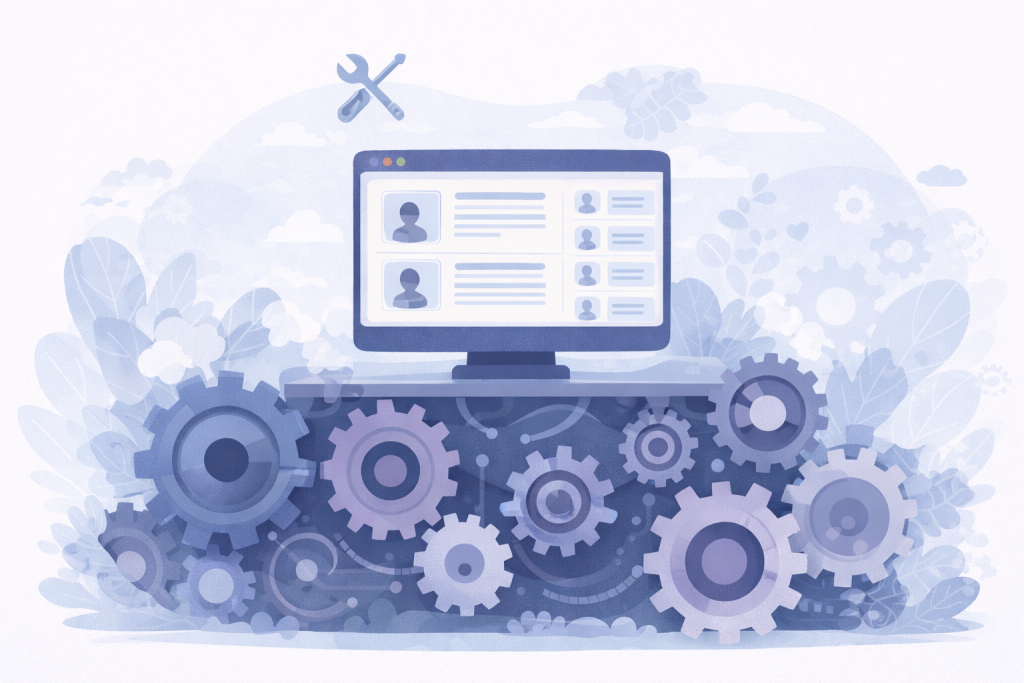
When architecture is coherent, edge cases feel manageable. When it is not, even small adjustments feel risky.
A Practical Evaluation Checklist
Before committing to a ticketing system, evaluate it beyond the homepage and demo.
- Calculate total cost across several years, not only one event.
- Check whether the platform charges per ticket, per order, subscription, or a mix.
- Confirm who owns buyer and attendee data.
- Test full data export before you need it.
- Run a real mobile checkout test.
- Review how ticket emails are sent and tracked.
- Check how inventory behaves when buyers abandon carts.
- Test refunds, ticket edits, and attendee changes.
- Review reporting and CSV export quality.
- Ask how the system handles check-in at peak arrival time.
- Confirm whether the system can support future ticket tiers, seating, memberships, or recurring events.
This checklist does not make the decision glamorous. It makes it safer.
Where Tickera Fits
Tickera is built for organizers who want to sell tickets from their own WordPress website, keep more control over the sales environment, and avoid handing a percentage of every ticket to a marketplace-style platform.
That model is especially useful when data ownership, long-term cost control, customization, and WordPress integration matter. It also means the organizer keeps more responsibility for the website environment, hosting, payment setup, email configuration, and operational testing.
For many WordPress-first event teams, that trade-off is exactly the point: more ownership, more flexibility, and fewer structural costs that scale with every ticket sold.
Final Thoughts
The best ticketing system is not necessarily the one with the flashiest interface or the fastest setup promise. It is the one that still makes sense when your event grows, your team gets busier, and your decisions become more expensive to undo.
Choose with the next few years in mind. Look at fees, ownership, reliability, clarity, reporting, and growth. If the system feels solid in the future version of your event, it is much more likely to feel right today.
Recommended Reading
- Event ticket pricing strategy
- Small ticketing decisions that hurt margins
- How to sell event tickets with WooCommerce
FAQ
How do I choose a ticketing system?
Judge it on fees, data ownership, payment options, key features like check-in and seating, ease of use, and support quality — not on price alone.
Should I use a marketplace or my own ticketing?
Selling on your own site keeps fees low and your attendee data yours. Marketplaces offer discovery but take fees and own the buyer relationship, which limits future marketing.
What features matter most in a ticketing system?
A reliable checkout, your choice of payment gateways, solid check-in, useful reporting, and crucially keeping ownership of your attendee data.