Tickera is built for event ticketing: selling access, issuing tickets, validating QR codes or barcodes, and checking people in quickly.
But if you look past the word “event,” the model is useful for more than concerts, conferences, and festivals. A ticket is simply permission to enter somewhere under defined rules. That is very close to what a gym or fitness centre membership is.
With the right configuration, Tickera can work as a gym membership system for fitness centres, studios, training spaces, clubs, and other businesses that need to control access over time.
Short version: Tickera can handle gym memberships by turning each membership into a ticket with a QR code or barcode. You can control how long the membership is valid, how often it can be checked in, and whether access depends on a WooCommerce subscription.
How the Gym Membership Setup Works
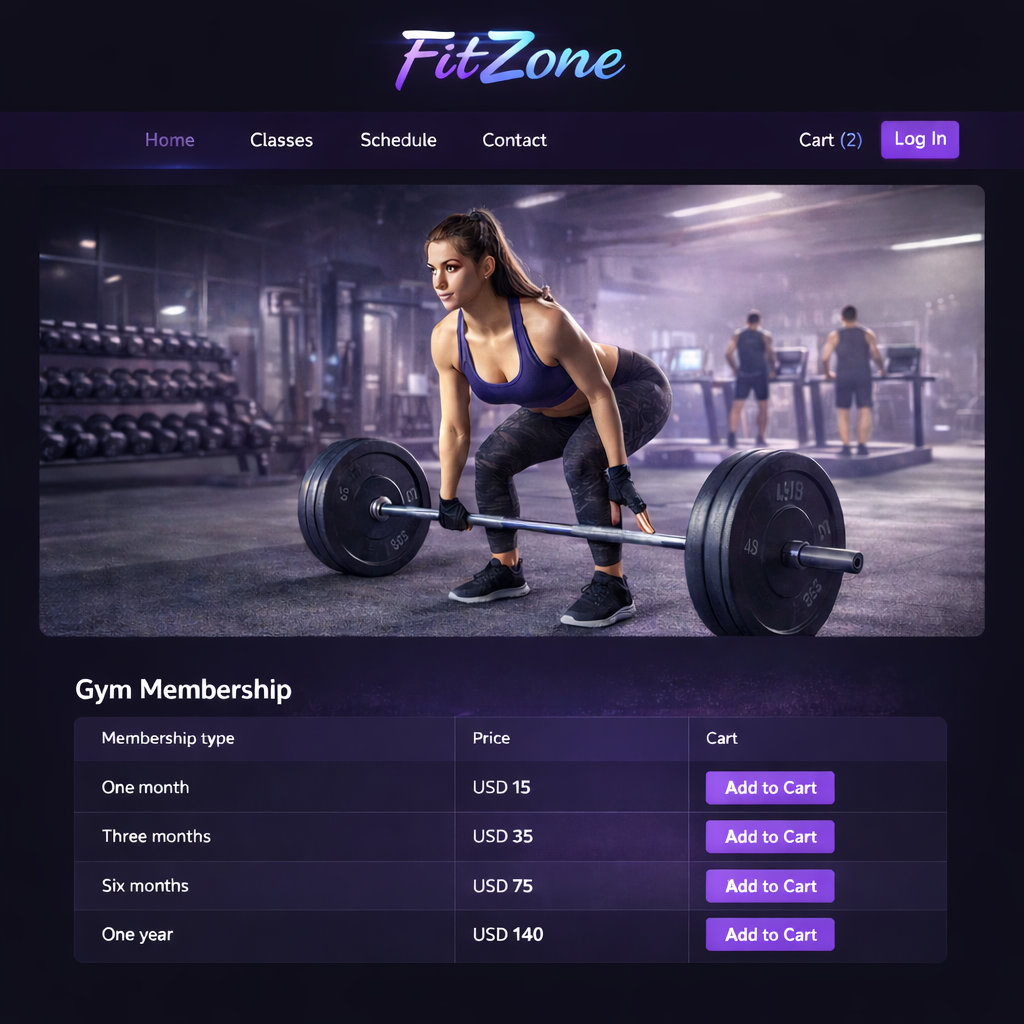
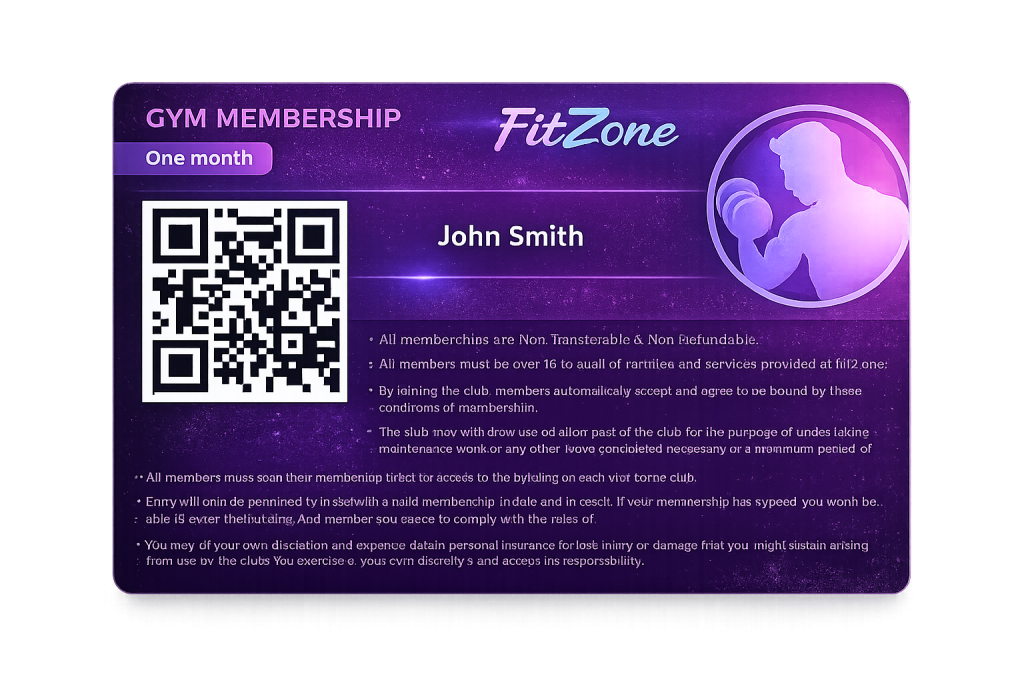
From the member’s point of view, the process feels simple. They choose a membership on your website, complete the purchase, and receive a digital membership card. Behind the scenes, that card is a Tickera ticket with a QR code or barcode.
When the member visits the gym, they show the membership card on their phone or as a printed copy. Staff scan it at the front desk. Tickera checks whether the ticket is valid at that moment and confirms whether the member can enter.
The important part is what you can control behind the scenes. A membership ticket can be limited by duration, by total number of check-ins, or by how often check-ins are allowed within a certain period.
Option 1: Standalone Gym Memberships With Tickera
The standalone approach works well if you want a simple membership setup without recurring billing. It is useful for fixed-term access such as one-month, three-month, six-month, yearly, class pack, or limited-visit memberships.
Inside Tickera, you start by creating an event. In this case, the “event” is only an internal container for memberships. Customers do not need to think of it as an event. They simply see membership options on your website.
Then you create ticket types that represent membership plans:
- Monthly membership
- Three-month membership
- Yearly membership
- 10-visit pass
- Student or off-peak membership
- Class-specific access
A common setup is to make the membership valid for a certain time after the first check-in. That means the membership does not start counting down until the member actually visits for the first time.
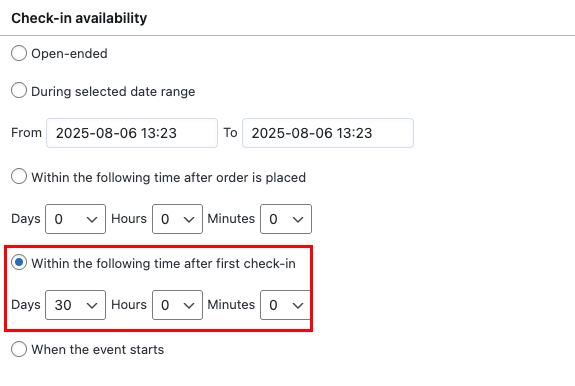
For example, a one-month membership can stay valid for 30 days after the first scan. A three-month membership can stay valid for 90 days after the first scan. This avoids wasting membership time before the customer actually starts using the gym.
Control How Often Members Can Check In
Validity is only one part of the setup. Gyms often need access frequency rules too.
Tickera can help you define how often a membership can be used. Depending on the plan, you may want to allow:
- unlimited check-ins during the valid period
- one check-in per day
- a fixed number of visits per week
- a fixed number of visits per month
- a specific number of total check-ins

This is what makes the setup flexible. A membership is not just “valid” or “invalid.” It can follow rules that match how your gym actually sells access.
Option 2: Recurring Gym Memberships With WooCommerce Subscriptions
If your gym depends on automatic renewals, the more advanced setup uses Tickera with WooCommerce, Bridge for WooCommerce, and WooCommerce Subscriptions.
In this model, the membership plans are WooCommerce subscription products. Each product is marked as a ticket and assigned to the relevant Tickera event. The subscription status controls access.

As long as the customer’s subscription is active, the membership ticket can be checked in. If the subscription expires, is cancelled, or fails according to your WooCommerce subscription rules, access can become invalid automatically.
This reduces manual administration. Staff do not need to track expiry dates by hand, and members can keep using the same ticket while their subscription remains active.
Check-in limits can still apply in this model. An active subscription can allow unlimited access, one visit per day, a limited number of visits per week, or other controlled patterns.
Single Location, Multiple Locations, or Universal Access
If you operate one gym, the structure is straightforward. One membership container, several membership types, and clear check-in rules.
If you operate multiple gyms or fitness centres, you can create one Tickera event per location. Each event represents a specific gym, and the ticket types under that event represent memberships for that location.
This keeps reporting and access rules clean. Members buy access to a specific location, and staff scan memberships assigned to that location.
You can also create a premium “universal access” membership for all locations. In that setup, single-location memberships cost less, while the universal plan gives access across the network.
The key detail is check-in configuration. Staff at each location need the right check-in API keys so they can validate both local memberships and universal access memberships without accidentally accepting tickets that should not work there.
How Check-In Works at the Front Desk
Once a customer buys a membership, they receive the ticket by email with a QR code or barcode. You can also include the QR code directly in the email body using Tickera’s purchased tickets table content options.
At the front desk, staff scan the membership using the Checkinera app on a phone or tablet, or using Checkinera web with a connected barcode or 2D scanner.
The system checks the membership status instantly. It can account for expiration, subscription status, and any usage limits you configured.
Which Setup Should You Choose?
The standalone Tickera setup is best when you want simplicity and fixed-term memberships. It works well for gyms that sell passes manually, do not need automatic renewals, or prefer a lightweight setup.
The WooCommerce Subscriptions setup is better when recurring billing matters. It is stronger for gyms that rely on monthly renewals, automated payments, and ongoing membership status.
| Use case | Better approach |
|---|---|
| One-month or yearly fixed passes | Standalone Tickera |
| 10-visit or class-pack access | Standalone Tickera |
| Monthly auto-renewing memberships | Tickera + WooCommerce Subscriptions |
| Membership access tied to payment status | Tickera + WooCommerce Subscriptions |
| Multiple locations with access levels | Either, depending on billing needs |
There is no single correct setup for every gym. The right choice depends on whether your biggest need is simple access control or recurring membership billing.
Setup Checklist for Gym Memberships
- Decide whether memberships are fixed-term or recurring.
- Create a Tickera event to act as the membership container.
- Create ticket types for each membership plan.
- Define validity rules, such as 30 days after first check-in.
- Set check-in limits for daily, weekly, monthly, or total visits.
- If using recurring billing, connect plans through WooCommerce Subscriptions.
- Test the full purchase, email, ticket, and check-in flow.
- Train front-desk staff on valid, invalid, expired, and over-limit scans.
- For multiple locations, confirm that each scanner has the correct access permissions.
- Adjust labels or language if replacing “event” terminology with “gym” terminology makes the dashboard clearer.
Final Thoughts
Using Tickera as a gym membership system works because the core logic is the same: someone buys permission to enter, receives a scannable credential, and gets validated under specific rules.
For simple memberships, Tickera can handle fixed-term and limited-use access cleanly. For recurring memberships, WooCommerce Subscriptions can add automated billing and payment-based access control.
If your business needs to decide who can enter, how often, and under what conditions, Tickera gives you the building blocks to make that process predictable.
For more ideas, explore our Tickera use cases. If you have built an interesting membership setup of your own, we would love to hear about it.
FAQ
Can I use Tickera as a gym membership system?
Yes. You can sell access as tickets or passes and validate members at the door with check-in, adapting event ticketing to a membership-style workflow.
How do members check in at the gym?
Each membership carries a scannable code that staff or a kiosk validate with a check-in app, with rules that can limit how often a member can check in.
Can I limit how often a member checks in?
Yes. Check-in limitation rules let you cap visits, for example once per day, so a single pass cannot be reused beyond its allowance.