Quick answer
No-shows happen when commitment fades between registration and event day. You reduce them by raising the cost of not showing up and lowering the effort of attending: charge for tickets (even a little), send a timed reminder sequence, make tickets easy to find and transfer, run a waitlist, and track who actually attends so you can improve next time.
- Increase commitment at signup with paid tickets, deposits, or scarcity.
- Stay top of mind with a confirmation, week-before, day-before, and morning-of reminder.
- Let people who cannot attend transfer their ticket instead of vanishing.
In this guide
- Why no-shows happen
- How to measure your no-show rate
- Build commitment at signup
- The reminder sequence that works
- Make transfers and refunds easy
- Use a waitlist to refill seats
- Use attendance data
- No-show reduction checklist
- FAQ
Why No-Shows Happen
A no-show is rarely a decision. It is the absence of one. Someone registers with genuine interest, then life fills the gap between signup and event day: a calendar clash, bad weather, a forgotten date, a lost confirmation email, or simply fading enthusiasm. The further apart registration and the event are, the more that gap widens.
This matters because every empty seat is paid for twice. You covered the marketing cost to win that registration, and now you carry the catering, staffing, and venue cost for a person who is not there. For free events the problem is sharpest, because nothing was risked at signup.
People do not skip events they feel committed to. They skip events they have forgotten, lost the ticket to, or never truly invested in.
The good news: no-shows are a behavior you can design against. The rest of this guide walks through the levers that work, roughly in the order you should apply them.
First, Measure Your No-Show Rate
You cannot improve what you do not track. Your no-show rate is simply the share of confirmed registrations that did not attend:
No-show rate = (tickets sold − attendees checked in) ÷ tickets sold
The only reliable way to get the “checked in” number is to verify attendance at the door — ideally by scanning QR-code tickets rather than ticking names off a printed list. When ticket sales and check-in live in the same system, this number is produced for you automatically. Our event check-in strategy guide covers how to set up fast, data-rich entry.
Free tool — Check-in Queue Planner: A slow, block-long door queue turns confirmed guests into walk-aways. Venuera’s free Check-in Queue Planner simulates your door minute by minute and tells you how many scan lanes to run, your peak queue wait, and how many guests are still outside at showtime — it runs in your browser with no sign-up. Plan your door →
| Event type | Typical no-show range | Main driver |
|---|---|---|
| Free webinar or meetup | 30–50%+ | Zero cost of skipping |
| Low-priced local event | 15–25% | Weak reminders, distance |
| Paid conference or concert | 5–15% | Schedule clashes, travel |
| High-ticket / VIP | under 10% | Strong financial commitment |
Use these only as rough benchmarks. Your own historical rate, measured event after event, is far more useful than any industry average.
Build Commitment at Signup
The single biggest predictor of attendance is how much someone invested to register. The more friction-free and free the signup, the easier it is to abandon. A few proven ways to raise commitment without scaring people off:
- Charge something. Even a small fee changes the psychology from “maybe” to “I paid for this.” If your event must be free, consider a small refundable deposit returned at check-in.
- Make scarcity real. Honest limited availability — “120 seats, 30 left” — increases both signups and follow-through. Manufactured urgency erodes trust, so only show numbers you can stand behind.
- Ask for a small action. Adding the event to a calendar, choosing a session, or selecting a seat creates a sense of ownership that a one-click RSVP never does.
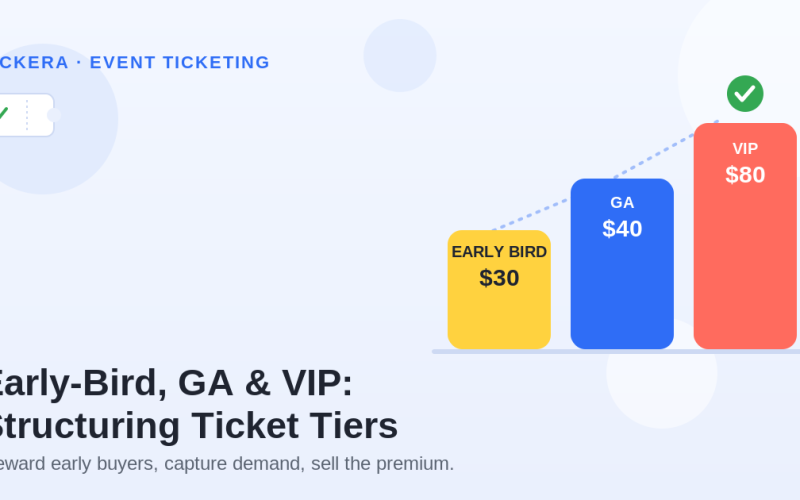
Pricing is where commitment begins. If you are still shaping your tiers, pair this with our event ticket pricing strategy guide — early-bird deadlines in particular reward the people most likely to attend.
The Reminder Sequence That Actually Works
Most no-shows are honest forgetfulness. A timed reminder sequence is the highest-return, lowest-effort fix available, and it should be automated so it runs without you. A reliable default:
| When | Message | Goal |
|---|---|---|
| At purchase | Confirmation + ticket / QR code | Deliver the ticket and set expectations |
| 1 week before | “See you next week” + what to expect | Re-confirm the date, build anticipation |
| 1 day before | Logistics: time, address, parking, ticket link | Remove day-of friction |
| Morning of | Short nudge with QR code and door time | Final push, easy ticket access |
A few rules make reminders work harder:
- Put the ticket or QR code in the reminder, not behind a login. The easier the ticket is to find, the more likely the person walks through the door — and the faster your line moves.
- Use clear, findable subject lines like “Your ticket and details for [Event] — tomorrow at 7pm.” Save the clever copy for marketing emails.
- Include a one-tap “Add to calendar” link in the confirmation. A blocked calendar slot is a quiet promise to attend.
For broader pre-event communication and email timing, see how to sell more event tickets in 2026, which covers the full lifecycle from first touch to door.
Make Ticket Transfers and Refunds Easy
Some attendees genuinely cannot make it. If their only options are “lose the ticket” or “say nothing,” you get a no-show and a slightly resentful customer. Give them a better path:
- Allow ticket transfers. Letting a buyer pass their ticket to a friend or colleague turns a guaranteed empty seat into an engaged new attendee — often a future customer who discovers your event for the first time.
- Offer a clear refund or credit window. A fair, visible policy (“full refund up to 7 days before”) reduces buyer hesitation at checkout and frees the seat early enough to resell.
- Make the policy easy to find. Surprises at checkout and silence about refunds both cost you trust. State the rules on the landing page and the confirmation email.
Counterintuitively, generous transfer and refund options usually reduce wasted seats, because released tickets can be resold or reassigned instead of sitting empty.
Use a Waitlist to Refill Released Seats
When an event sells out or a buyer cancels, a waitlist captures demand you would otherwise lose. As tickets are released, the next person in line is offered the spot automatically. This is a far safer way to run at full capacity than overbooking, which risks turning paying guests away at the door.
A waitlist also doubles as a marketing asset: it tells you exactly how much unmet demand exists, which is useful for pricing the next event and for the psychology of a sold-out event.
Turn Attendance Data Into Fewer No-Shows Next Time
Every event teaches you something if you capture the data. Because check-in records who actually arrived, you can compare it against who registered and look for patterns:
- Which ticket types show up most reliably? (VIP and paid tiers usually win.)
- Which acquisition channels bring committed attendees versus flaky ones?
- Does no-show rate spike for free tickets, discount-code buyers, or last-minute signups?
- When do people actually arrive, so you can time your reminders and staffing?
Over a few events, this turns guesswork into a system. You learn which levers move your specific audience, and you stop over-catering for people who were never going to come.
How Tickera Helps You Fight No-Shows
The levers above are easier to pull when ticket sales, communication, and check-in live in one place on your own WordPress site rather than across disconnected tools. With Tickera you can:
- Sell paid tickets directly on your own site, so commitment starts at checkout — see selling tickets with WooCommerce without marketplace fees.
- Issue digital tickets with QR codes that attendees can find in their email and add to their phone.
- Scan tickets at the door with a check-in app, producing real attendance data you can compare against sales.
- Support ticket ownership changes and add-ons so seats get reused instead of wasted.
No-Show Reduction Checklist
- You charge for tickets, or collect a refundable deposit for free events.
- Scarcity and availability shown on the page are honest and real.
- An automated reminder runs at purchase, one week out, one day out, and the morning of.
- The ticket or QR code is included directly in reminder emails.
- An “Add to calendar” link is in the confirmation.
- Ticket transfers are allowed and easy to do.
- A clear, visible refund or credit window is published.
- A waitlist captures demand and refills released seats.
- Attendance is verified by scanning tickets at the door.
- No-show rate is reviewed after every event and compared over time.
Final Thoughts
No-shows feel random, but they follow rules. Commitment made at signup, memory kept alive by reminders, friction removed on event day, and a path for people who genuinely cannot attend — pull those four levers and the empty seats shrink. Then let your check-in data tell you which one matters most for your audience, and tighten it for the next event.
The goal is not a perfect zero. It is a room that is as full as the registrations promised, with attendees who arrived easily and started the event in a good mood.
FAQ
What is a normal event no-show rate?
No-show rates vary widely. Paid events with committed buyers often see 5 to 15 percent, while free events can lose 30 to 50 percent or more. The exact number depends on price, audience, timing, weather, and how well you remind and engage attendees before the event.
Do paid tickets reduce no-shows?
Usually yes. When people pay for a ticket, they have a financial reason to attend, so paid events typically see far lower no-show rates than free ones. Even a small ticket price or a refundable deposit can increase commitment.
How many reminder emails should I send before an event?
A common, effective sequence is a confirmation at purchase, a reminder one week before, a reminder one day before, and a final reminder on the morning of the event. Each message should include the date, time, location, and the attendee’s ticket or QR code.
Should I overbook my event to cover no-shows?
Overbooking can backfire if more people show up than expected. A safer approach is a waitlist that automatically offers released or unsold spots to interested people, so you fill seats without risking overcrowding.
How do I measure my no-show rate?
Compare the number of tickets sold or registrations confirmed with the number of attendees actually checked in at the door. If you scan QR-code tickets at entry, your ticketing system can report this attendance data automatically.